Ordo on every page.
Turn the page you’re looking at into a task, report issues with an annotated screenshot and keep track of what’s due today — without switching tabs.
Chrome, Edge, Brave, Arc, Opera and Vivaldi.
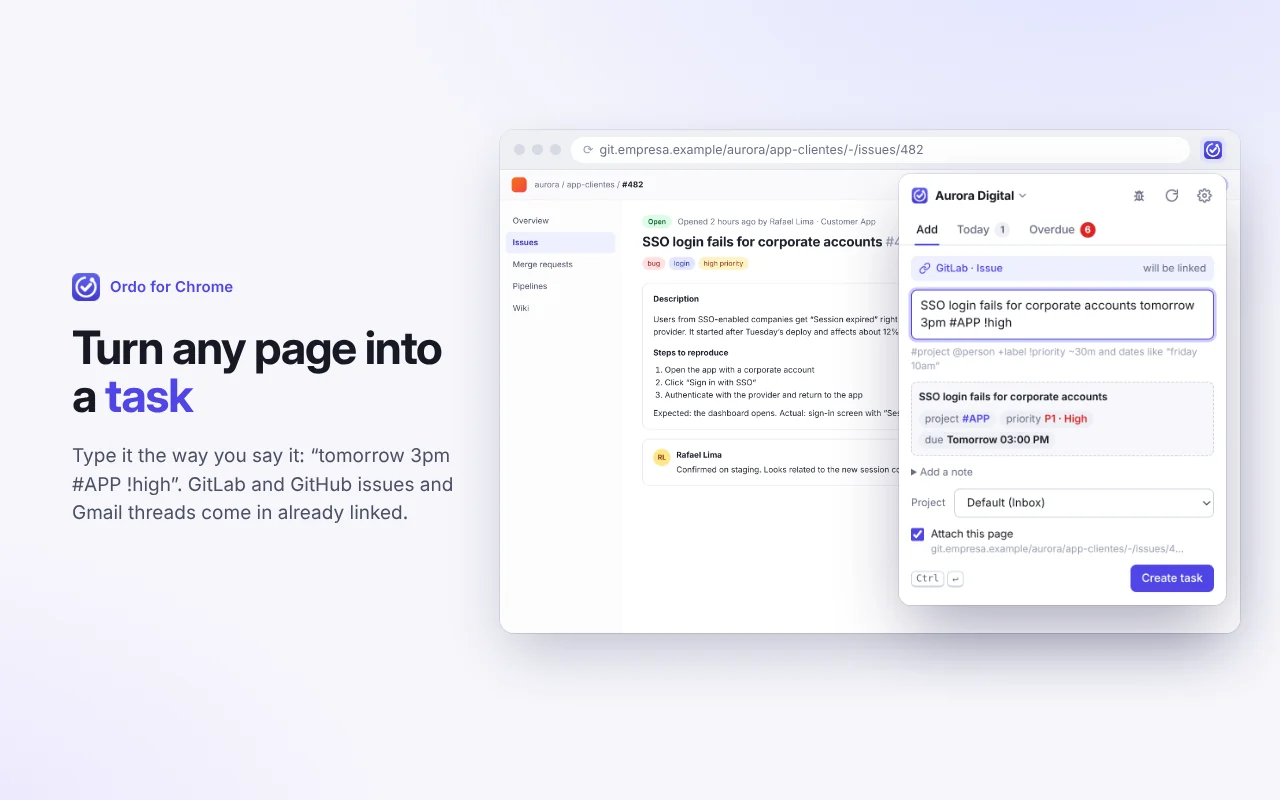
Capture in seconds
Write it the way you’d say it. Project, assignee, priority, due date and recurrence are understood instantly, with a preview before you create. Right-click any text or press Alt+Shift+K and you’re done.
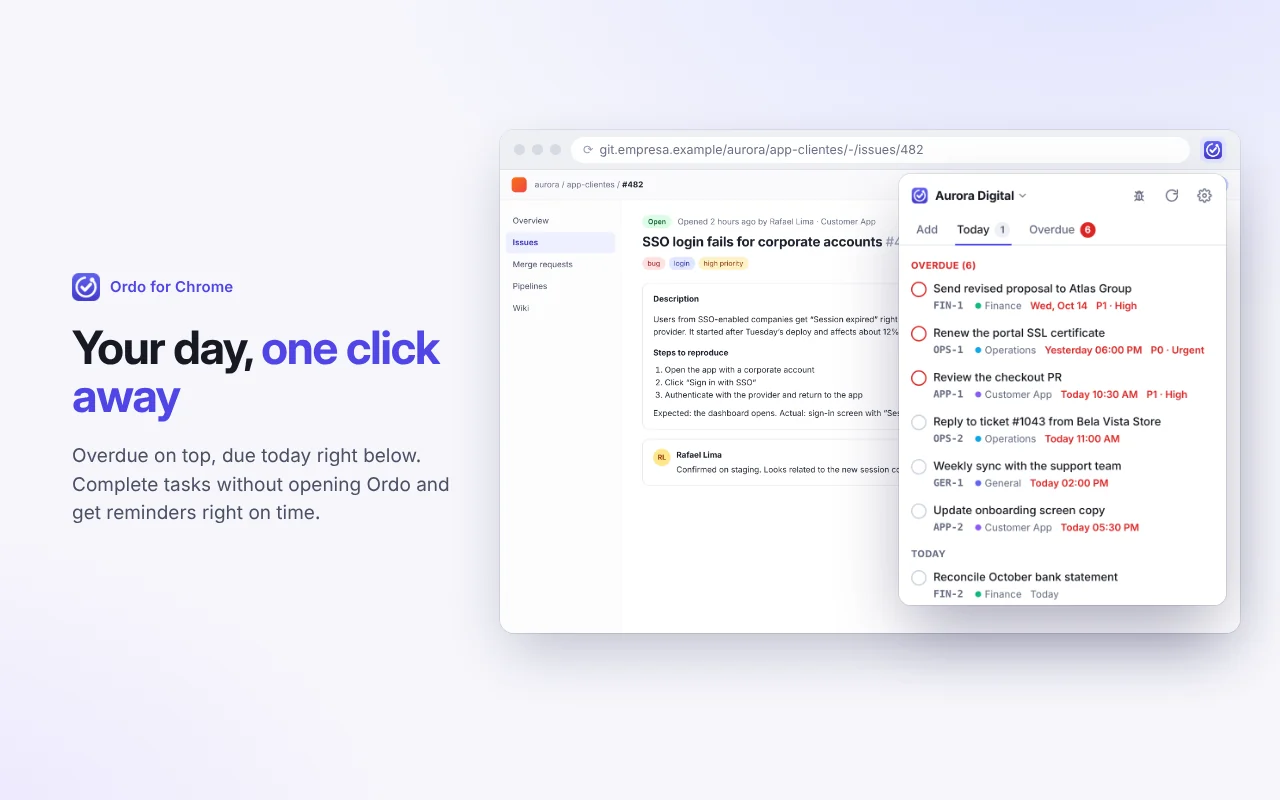
Your day, one click away
Today and Overdue tabs with your tasks, a badge count on the icon and a reminder 15 minutes before each deadline, with Complete and Snooze 1h.
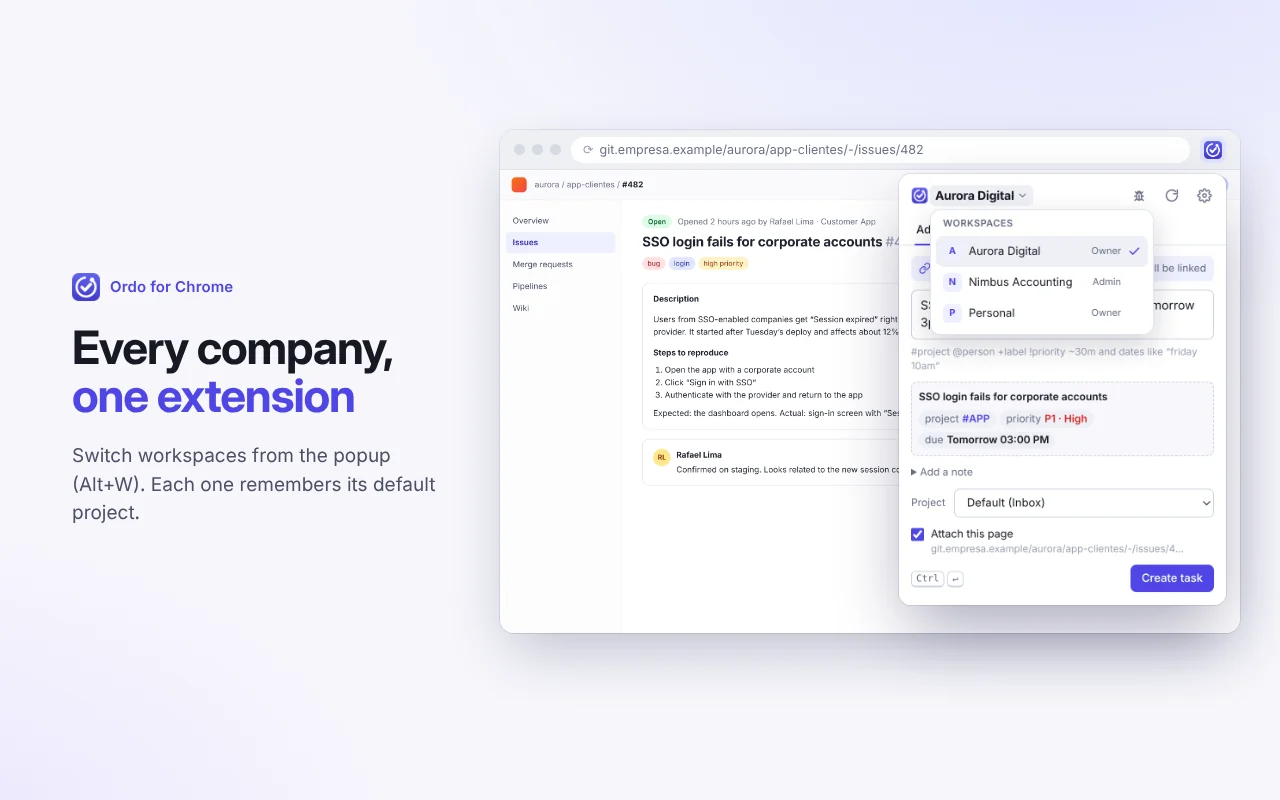
Many companies, one extension
Switch workspaces right from the popup. Each workspace remembers your default project.
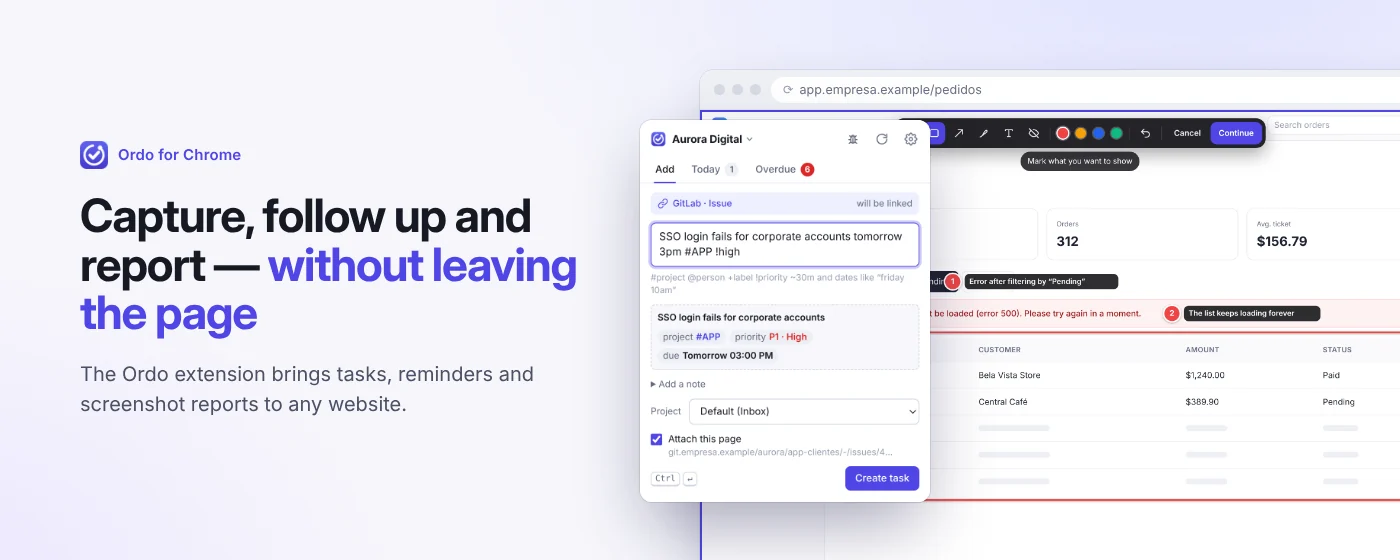
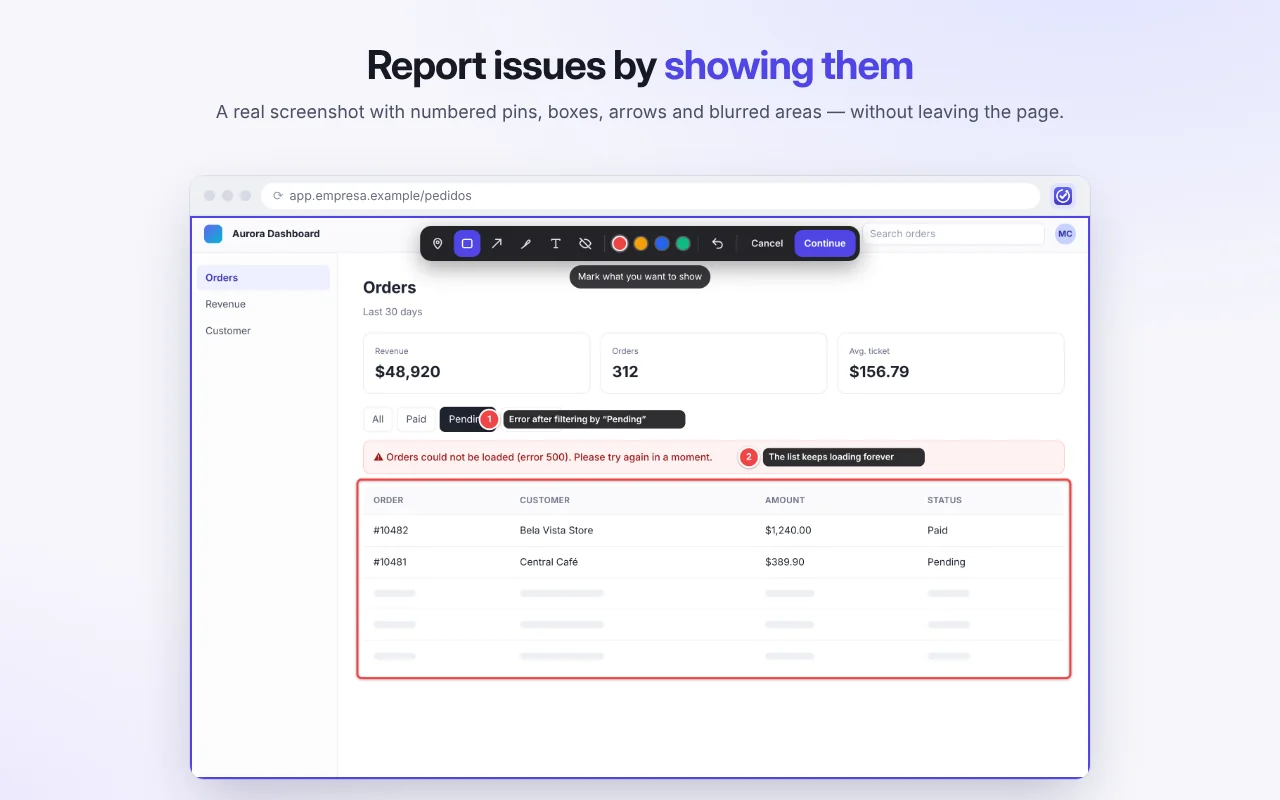
Show, don’t tell
A real screenshot of the tab with numbered pins, boxes, arrows, text and blur. The report becomes a task with the image and the notes for each pin.
Smart capture
GitLab issues and merge requests (including self-hosted), GitHub issues and pull requests, and Gmail threads come in with a clean title and the page link — using only the tab’s URL and title, never reading your email.
Works even offline
With no connection, the task is saved in your browser and sent automatically once you’re back online, with no duplicates.
Keyboard shortcuts
- Open Ordo
- Alt Shift T
- Capture the page as a task, without opening anything
- Alt Shift K
- Report an issue on this page
- Alt Shift B
- Switch workspace in the popup
- Alt W
Get started in three steps
-
1
Install the extension
Add it from the Chrome Web Store. It doesn’t request access to any site at install time.
-
2
Create a token
In Ordo, open Settings, API tokens and choose “Chrome extension”. To switch between companies, check “All my workspaces”.
-
3
Connect
Paste your Ordo address and the token. The extension requests access to that address only.
Private by default
Read the extension privacy policy- Talks only to the Ordo server you configure
- Reads the page only when you trigger it
- No analytics, tracking or remote code
- Never uses or requests access to your Google account
- Your token stays in this browser only
Bring order to your company’s work today.
Create a workspace in under a minute, invite your team and connect your first channel. When you need more, we’ll grow with you.
Free for up to 3 people. No credit card required.